It turns one idea into social posts, images, videos, blogs and newsletters.
LaserPulse brings content ideas, AI content creation, brand voice learning, review, scheduling and supported publishing into one workflow.
It learns your brand voice, incorporates your feedback, and guides future content to sound more like your business.
From idea to campaign in 3–6 minutes · Plans from $99/month
I want to post, but I can’t
keep up. It’s just too much.
What should I post? What should I write? Where do I find the right images or videos? Then I have to jump between LinkedIn, Facebook and Instagram to publish it all. A blog alone can take half a day. And next week, I have to do it all again.
Manage up to 15 brands / businesses.
Available on the Agency plan.From idea to campaign
in 3–6 minutes.
LaserPulse suggests ideas and creates blogs, marketing emails, social posts, images and videos. Review, schedule and publish to your connected social accounts in one click, all from one workspace.
Get Started →your audience knows
 LinkedIn
 Facebook
 Instagram
 X
X WordPress
 Email
EmailKnow what needs
your attention.
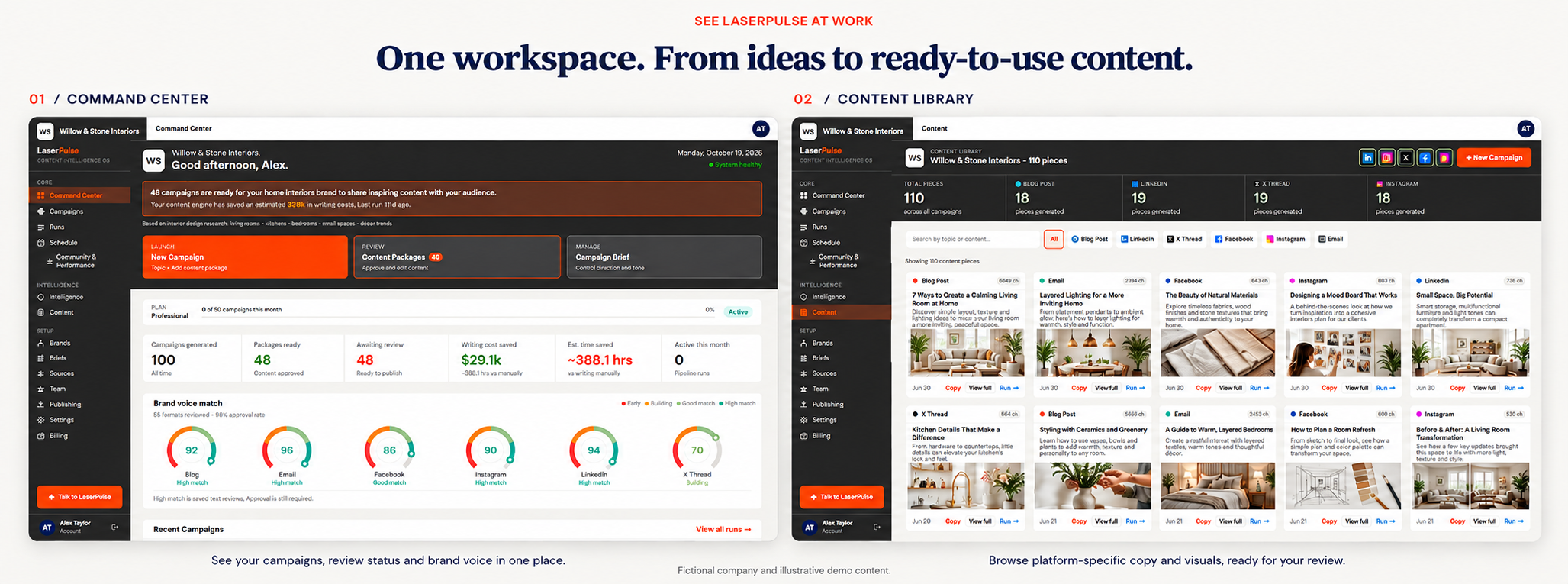
Keep the overview close. See your campaign activity and review status before deciding what needs your attention next.
- See campaign activity and review status
- Keep your content operation organized
- Review brand voice match indicators
Find the idea.
Shape the message.
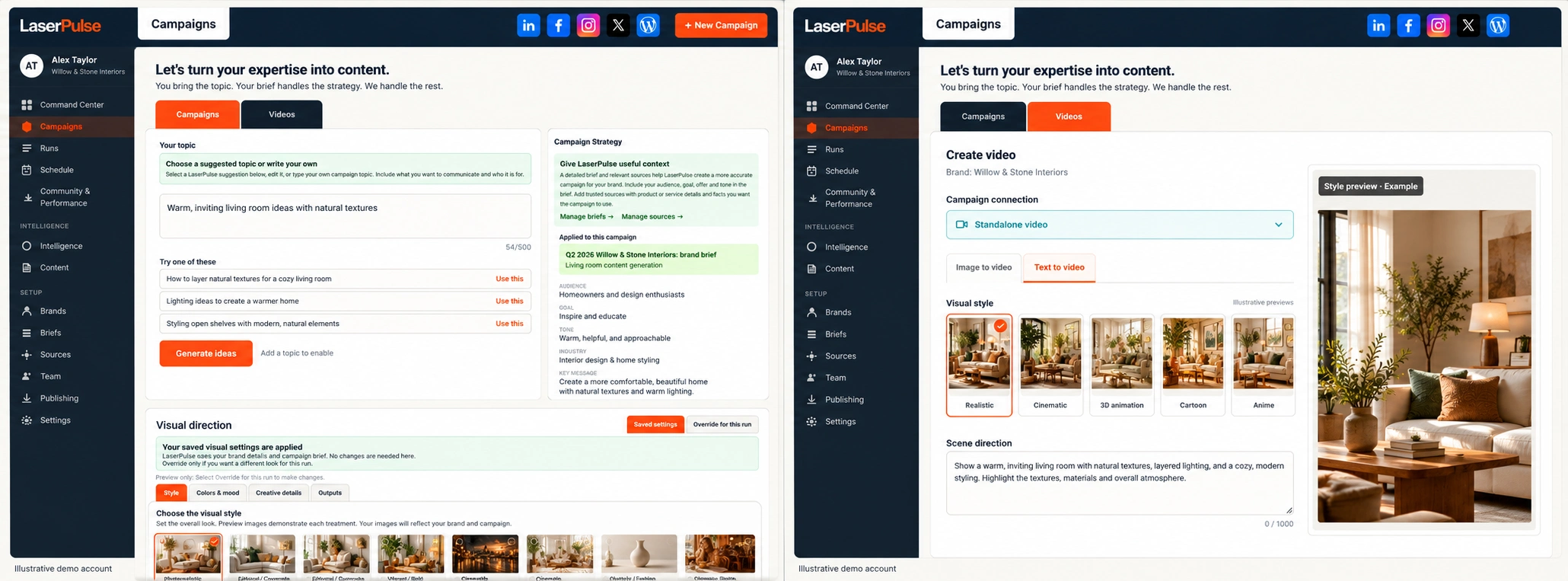
Start with a topic suggestion or your own idea. Give LaserPulse the audience, goal and brand context to guide the work.
- Explore relevant topic suggestions
- Guide the audience, goal and tone
- Choose a visual style for your brand
Your content. Ready
for the next step.
Keep platform-specific copy and visuals within reach. Browse what you have created, inspect individual pieces and return to the campaign behind them.
- Browse copy and visuals by format
- Review and refine individual pieces
- Keep campaign assets together
Turn ideas and images
into videos.
Describe a scene or start with an image. Choose a visual style and review the result before it represents your business.
- Text-to-video
- Image-to-video
- Choose a visual style
- Review before publication
Generated video is available on eligible paid plans.
Publishing, formats and what your plan includes
Direct publishing requires a supported integration, an authorized connected account and the necessary platform permissions. LinkedIn, Facebook, Instagram, X and WordPress are shown as content destinations; availability depends on the current integration and account. Confirm your required channels before subscribing.
Professional and higher plans include blog articles and newsletter copy. Newsletter creation provides copy for your email workflow; it does not automatically send an email campaign. WordPress and compatible blog-webhook publishing are available on eligible plans. Generated video has separate plan allowances.
From idea to campaign in 3–6 minutes. Create your content, review it and schedule publication from one workspace. AI videos render as separate jobs, with progress and credit usage shown in the app.
A plan for your first brand. Room to grow.
Plans from $99/month. Options for businesses, marketing teams and agencies.