Bring your knowledge.
Import knowledge from your website and documents. Review the facts and approve the material you want LaserPulse to use.
Turn what you know into campaigns, images and commercials. Keep your brand context, review, publishing and performance together in one place.
Your direction. Your brand. Your final say.


Build from the business knowledge, creative direction and decisions that make your brand yours.
Build a saved foundation for your content. Bring your business knowledge, audience and voice into the campaign before the writing begins.
Import knowledge from your website and documents. Review the facts and approve the material you want LaserPulse to use.
Keep your brand profile, audience, tone and campaign strategy briefs within reach. Give each campaign a clear goal and point of view.
Save review feedback and manage brand learning notes. Turn corrections into guidance for future work, with human review at the center.
Give content a stronger starting point than an empty prompt.
Choose one of three suggested ideas or bring the topic already on your mind. Set the audience, goal and tone, then use your brief and research sources to guide the work.
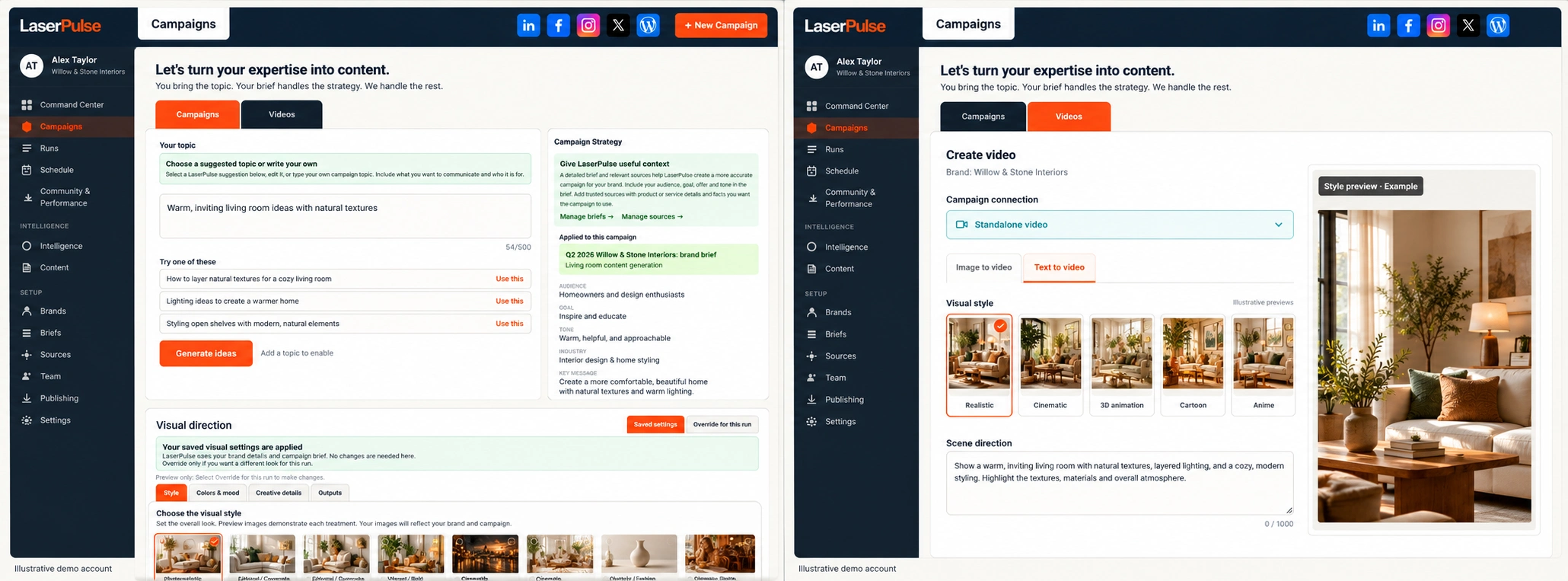
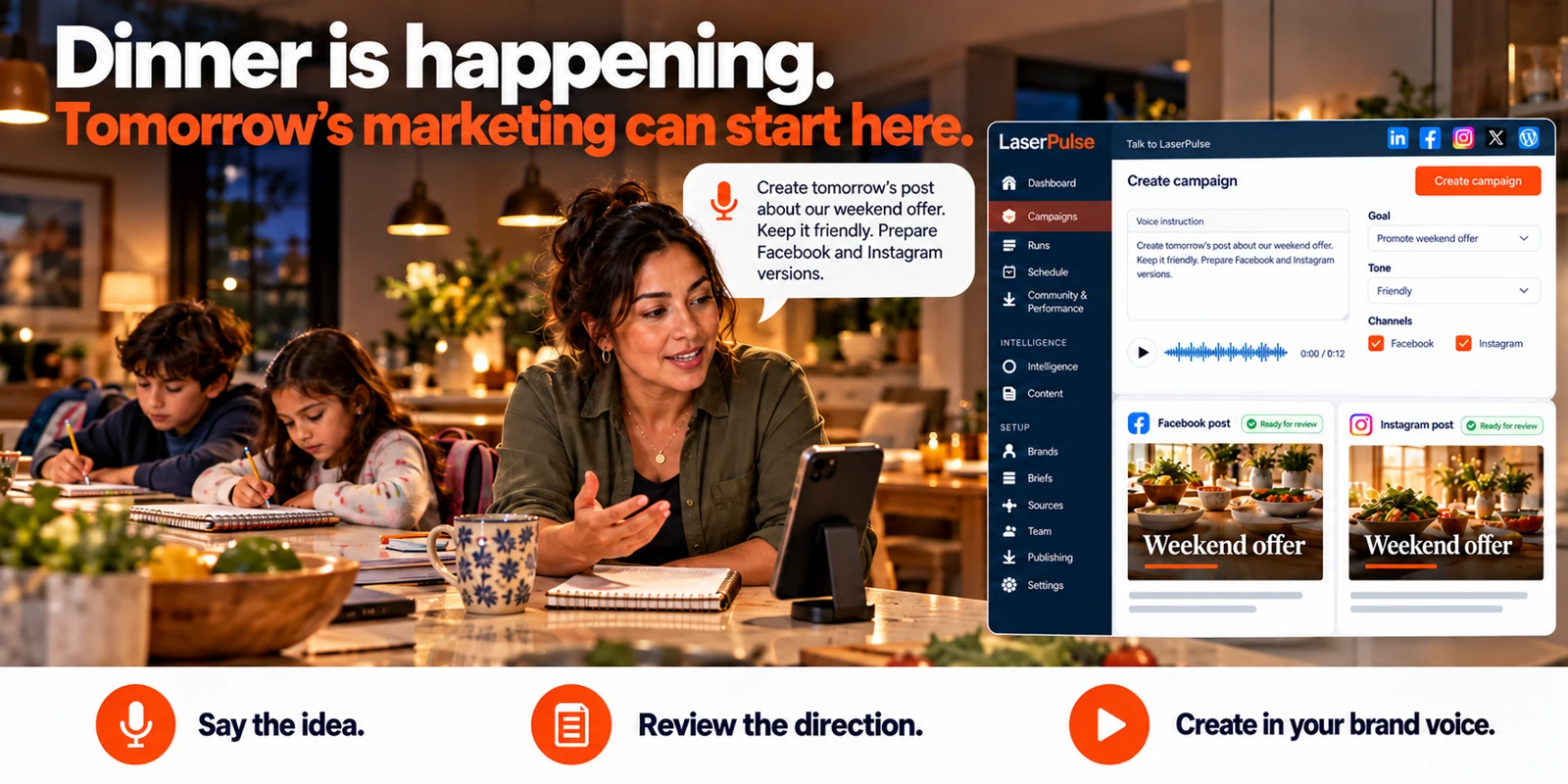
Record and listen to your direction, re-record when needed, or type it. Name the outlets you want. LaserPulse uses your brand and brief to create the campaign, checks the selected publishing connections and guides you through review.
Use the voice workflow →Bring one image for all selected outlets or choose a different image for each. Generate and refine captions with the same brand and brief context used by campaigns. Keep your uploaded artwork unchanged.
Create with your own media →Choose purpose-based creative prompts, guide the subject and style, add actual product screenshots and set the headline or CTA. Edit a saved image prompt instead of starting again from an empty box.
Shape the visual →Turn one direction into a coordinated set of content. Review each piece for its destination, edit the details and regenerate written content when you want another direction.
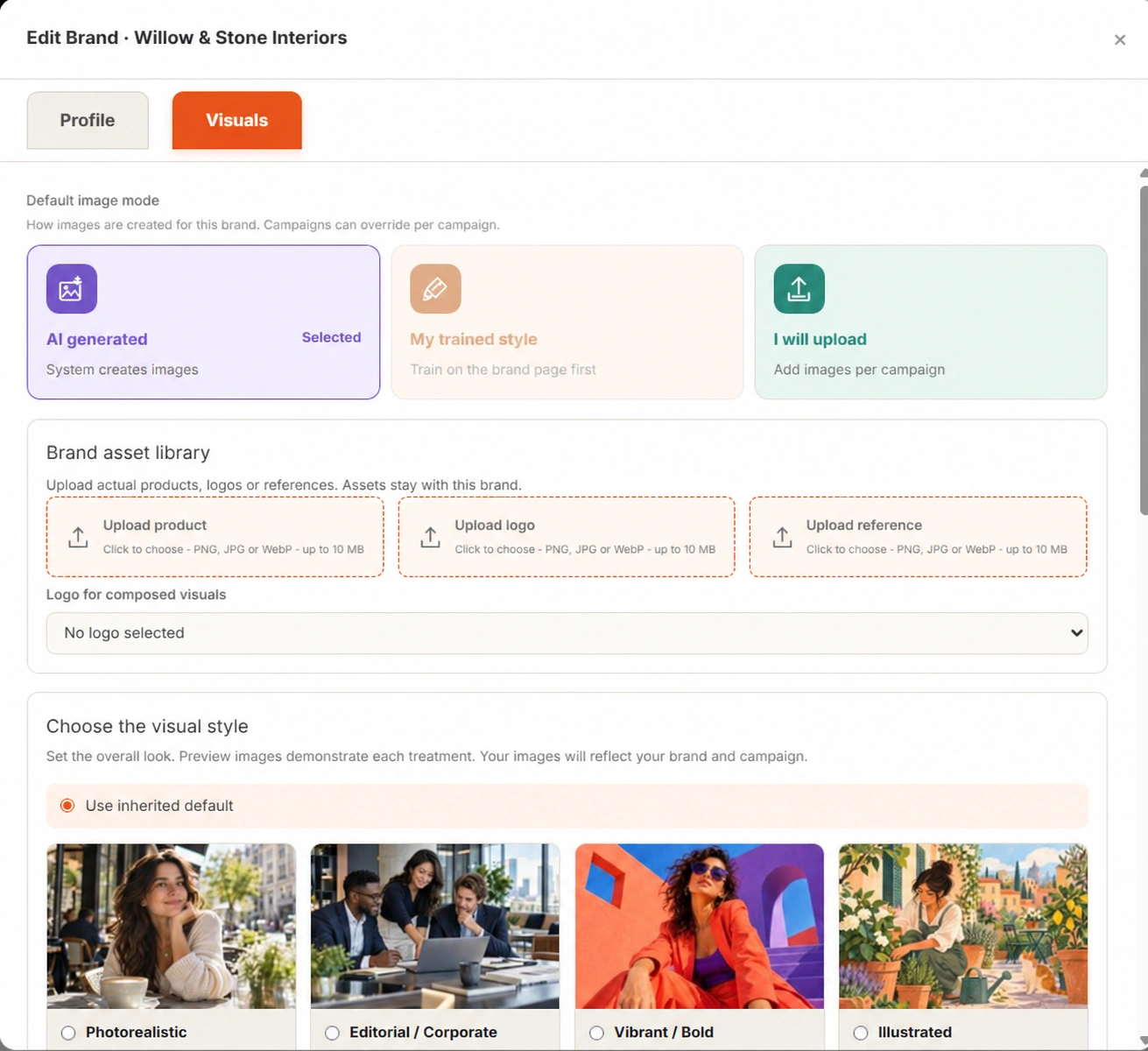
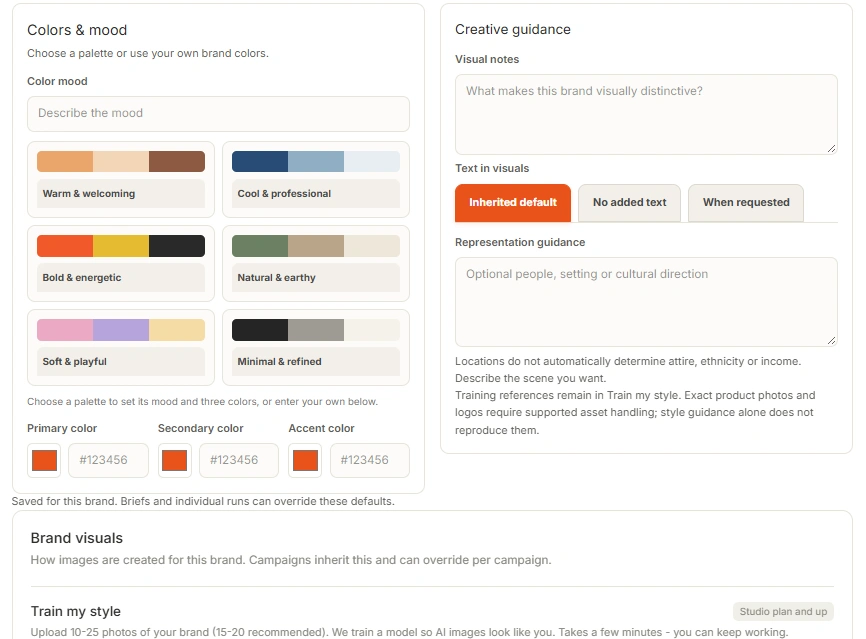
Create campaign imagery or use your own original artwork. Keep control of the subject, colors, mood, composition and message.
Use your own reference collection to train a brand-specific visual style, then use that saved direction for future AI imagery.
Train with at least 10 reference images. Choose the visual qualities that represent the brand you want people to recognize.
Use a separate trained visual direction for each eligible brand. Keep the creative tied to the business it represents.
Studio and Agency include 2 visual-training sessions per brand per billing month. Additional training credits are available to purchase.
Custom Brand Visual Training is included on Studio and Agency.
Compare visual-training allowances →Generate scenes from text or an image, or upload footage you already have. Choose vertical, landscape or square text-to-video formats, then bring your selected clips into Commercial Studio.
Get Started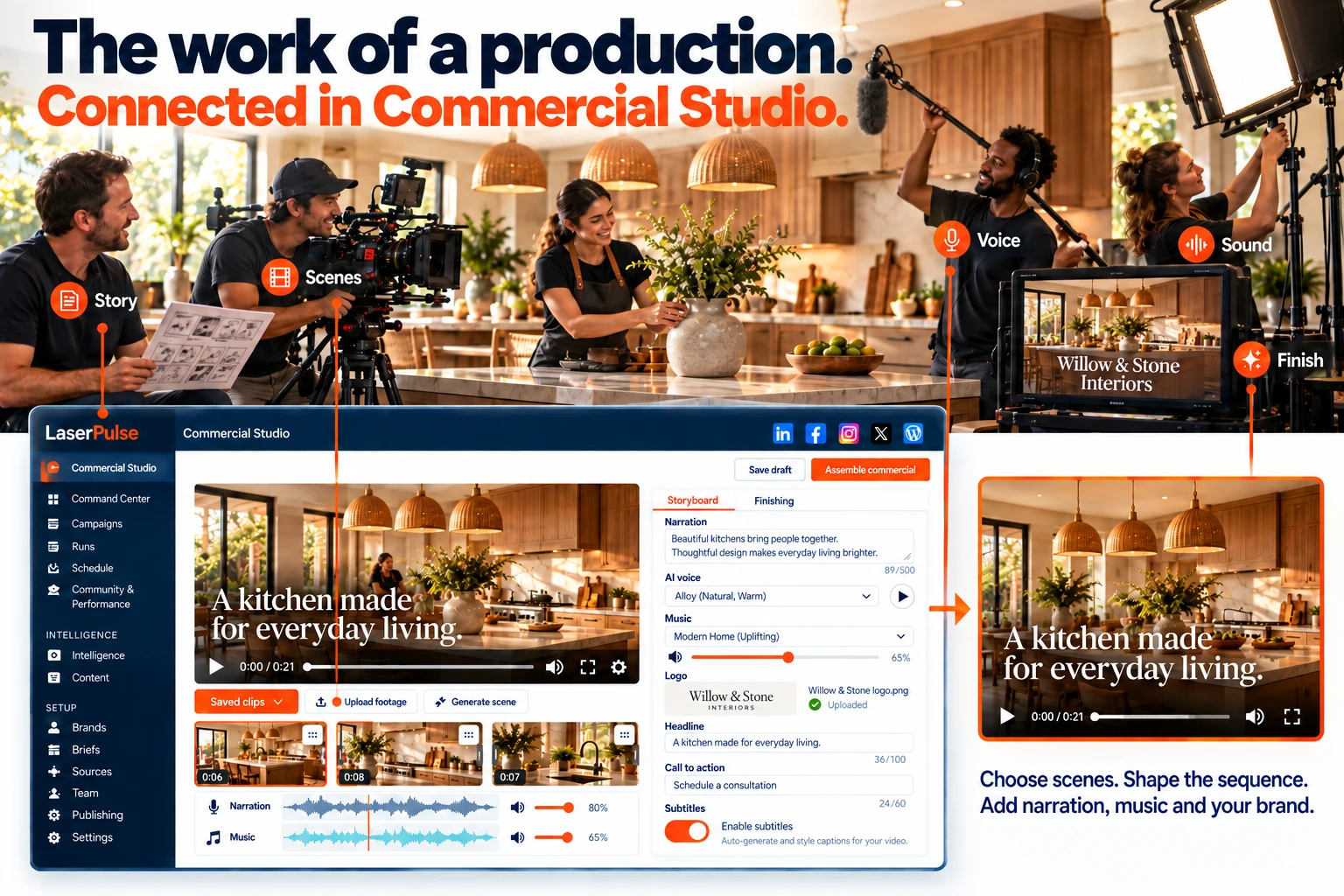
Use saved LaserPulse clips, upload footage or generate new scenes. Preview, trim and reorder clips, save a named draft and return to earlier storyboard revisions.
Build a commercial →Preview AI voices or upload your narration. Mix uploaded music or ambience, add your logo, style headlines and CTAs, and choose whether to include subtitles.
Explore finishing controls →Commercial Studio offers 720p HD, 1080p Full HD and 4K Enhanced through paid upscaling. Review generation costs, preview the finished export, then download, approve or schedule.
See video credits →Review the content, creative and publishing choices before anything represents your brand.
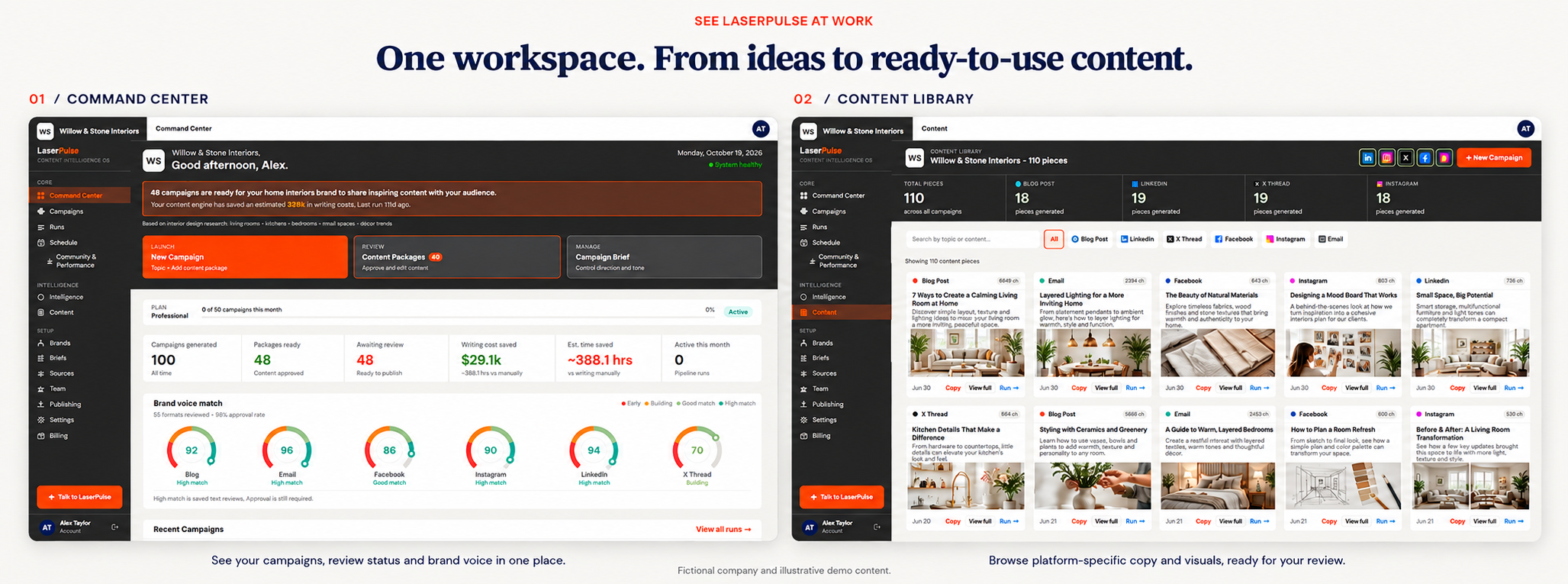
Edit individual content pieces and regenerate writing when you need another approach. Review plans, drafts and images before moving ahead.
Inspect image versions, regenerate artwork or use your own photos and creative assets. Approve the image you want to publish.
Return to saved drafts, draft history, campaign assets and production history. Keep content organized in your library rather than scattered across documents.
 View the screen ↗Explore the Content Library →
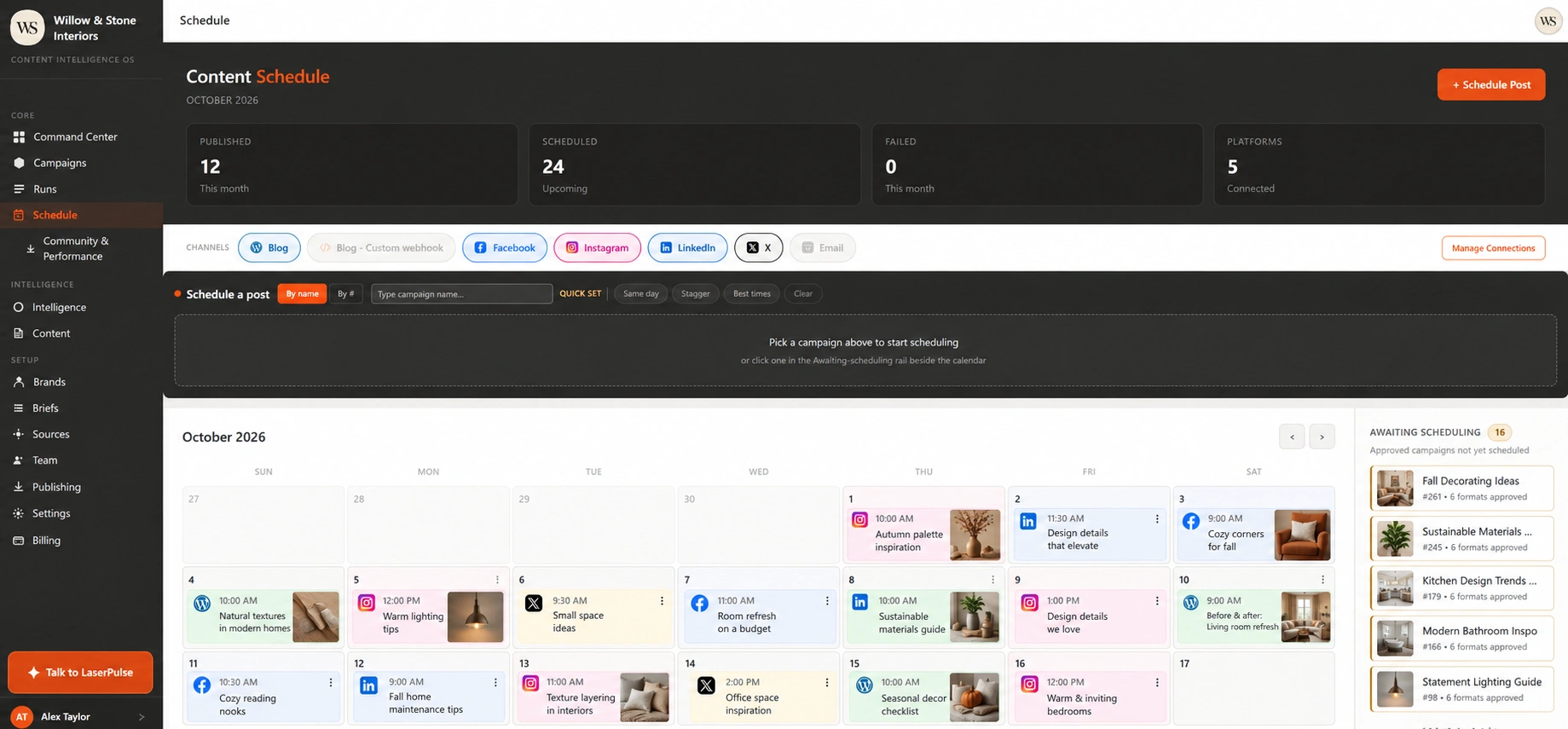
See your schedule, choose future dates and manage the content already on its way.
Choose the content, connected destination, date and time. Review the final selection before scheduling.
Edit or cancel upcoming posts as your priorities change. Keep scheduled work visible together in one calendar.
Review upcoming posts and publishing history. Inspect destination status so the next action is clear.
 View the screen ↗
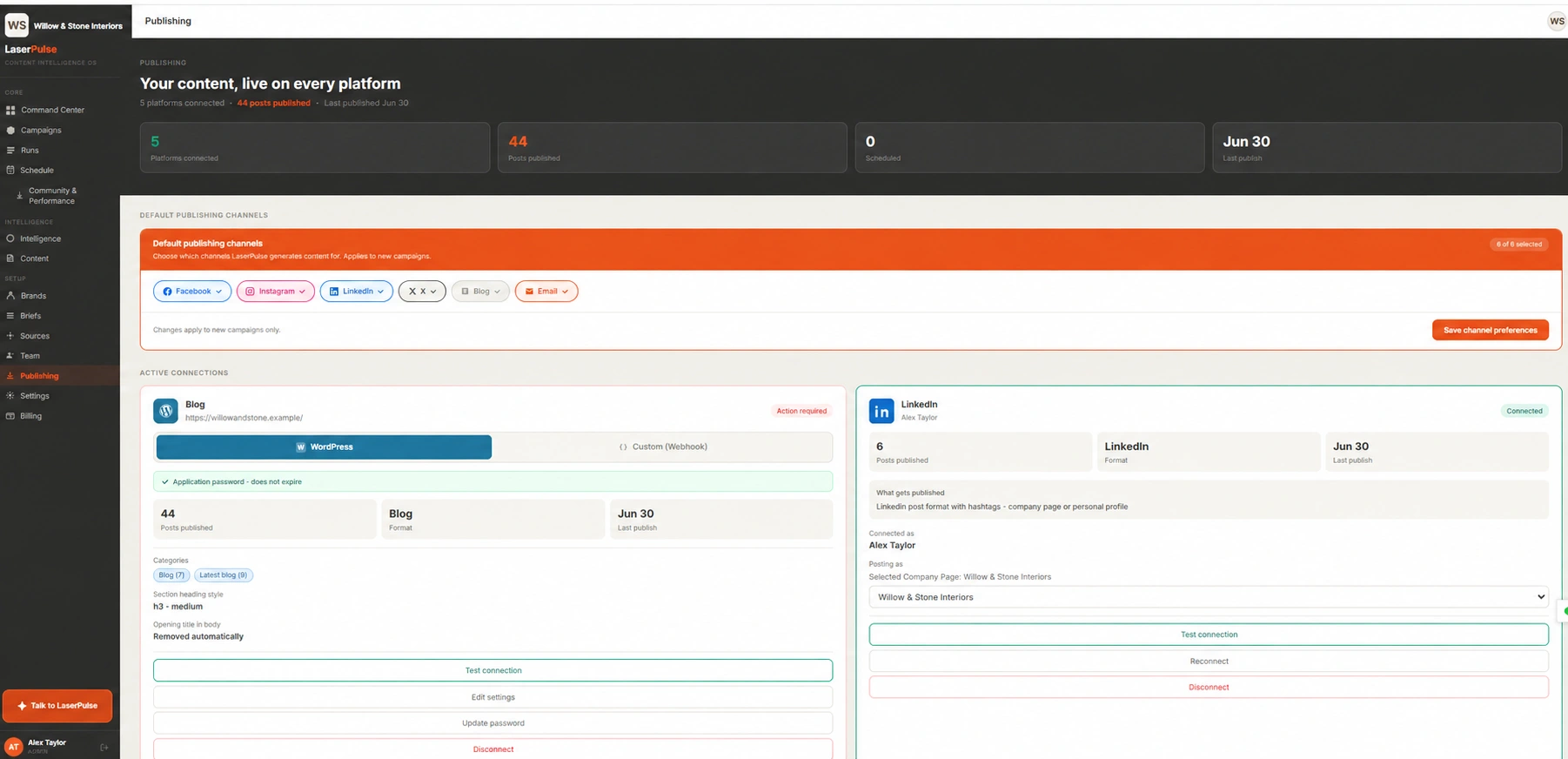
Publish to LinkedIn, Facebook, Instagram and X, plus WordPress or a connected custom blog. Choose the account, review the content and schedule your next move. Marketing email copy is ready to take into your email service.
| Destination | What you can do |
|---|---|
| LinkedIn, Facebook, Instagram, X | Create, review, publish now or schedule to your connected accounts. |
| WordPress or custom blog | Send approved articles through WordPress or your configured blog webhook. |
| Marketing email | Create newsletter copy, then copy or download it for your email service. |
Choose the format and account you want to use. LaserPulse keeps approval and publishing status visible.
Switch between businesses while keeping each brand’s voice, briefs, assets, connections and content organized. Pool campaign and video capacity across brands on Studio and Agency.
Invite Admins, Editors and Viewers with clear role permissions. Keep account ownership, team access and billing responsibilities organized. Give each person the role appropriate to their work, while keeping the selected brand in view.
Starter and Professional: 1 brand. Studio: 2 brands. Agency: up to 15 brands. Explore team permissions →
Get Started →A distinct voice for this business.
Colors and creative direction.
Keep the next campaign in context.
Choose a brand to open its workspace.
Find the content people respond to. Compare post results, understand audience engagement and keep conversations moving, with the brand and original post in view.
 Facebook
 Instagram
 LinkedIn
 X publishing
Compare individual posts by the result that matters to you.
Look beyond likes. Review saves and comments where available.
Review impressions, clicks and engagement supplied by LinkedIn.
| Content | Status |
|---|---|
| One room. Three practical ideas. | Published |
| The detail that changes a space. | Scheduled |
| A fresh take on everyday living. | Draft |
Create, review, schedule and publish to a connected X account.
Review post rankings and compare reporting periods. See which topics and formats deserve another look.
Explore post performance →See coverage and available observations. Different networks supply different metrics; missing results stay separate from zero.
Understand the measures →Open post conversations, manage comments and replies, and follow up with the people engaging with your content.
Explore community management →Performance reporting: LinkedIn Company Pages, Facebook and Instagram. X is shown for publishing. Metrics depend on platform access and availability.
Get StartedFeatures, content allowances and brand connections vary by plan. Compare packages on Pricing to choose the right fit.
Yes. Review, edit and refine your content before scheduling or publishing it.
Yes. Add your logos, product images and reference assets in your brand settings. Trained styles are available on eligible plans.