Speak your direction.
Record the audience, message and outlets. Listen back or edit the instructions.

Turn your business knowledge into a campaign. Speak your direction, review your content and choose when it goes live.
Create a campaign in 3–6 minutes.Get Started →


An idea for LinkedIn. An image for Instagram. A post for Facebook. A blog. A marketing email. Creating it all, then logging into each social platform separately to post. It’s too much to keep up with.
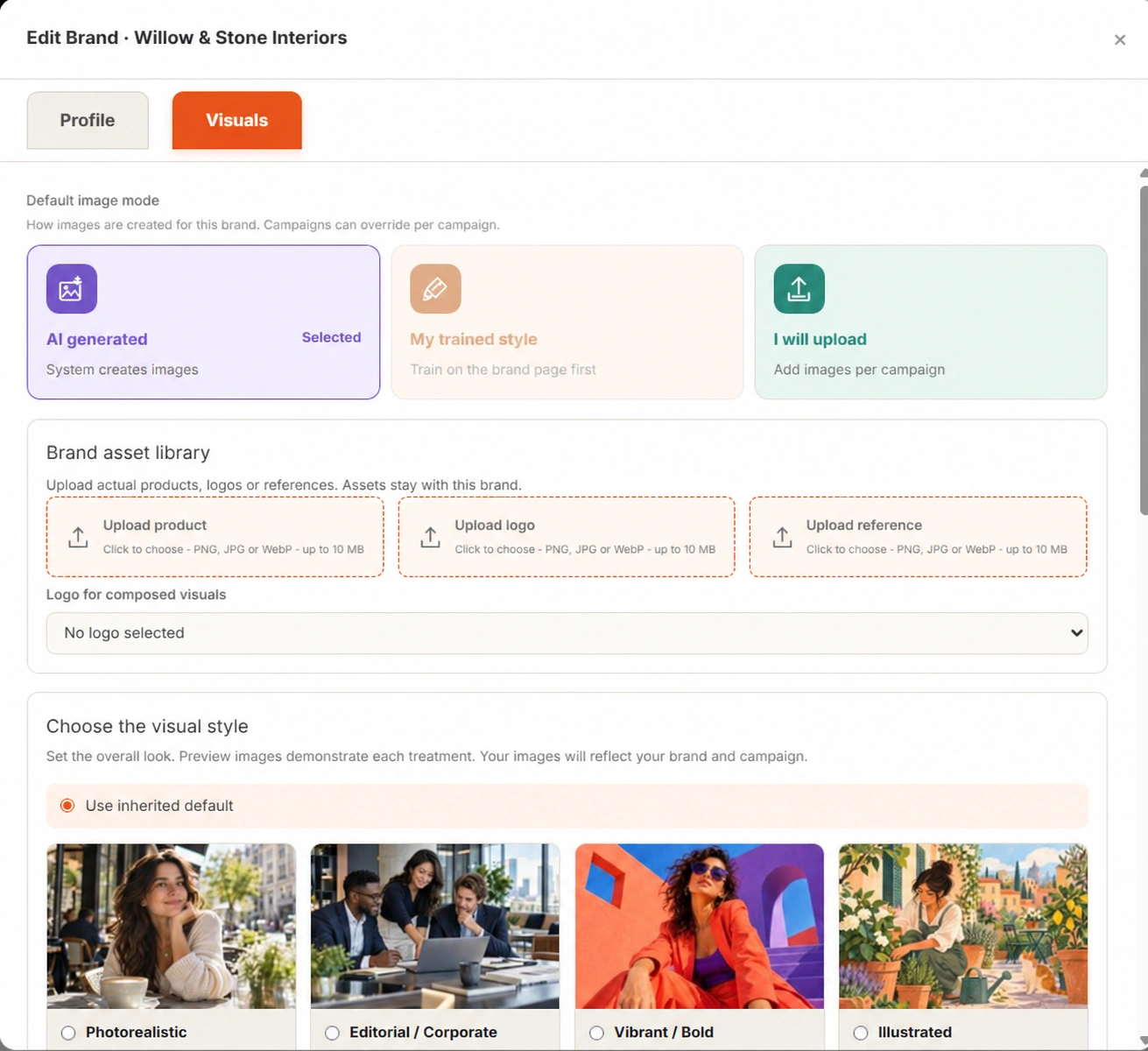
LaserPulse brings it together. Here’s how.Willow & Stone Interiors
Thoughtful interiors for modern living.
Homeowners and design enthusiasts
Warm · Helpful · Approachable
Natural textures. Warm light. Calm spaces.
Set up once. Bring your business context into the campaigns you create next.
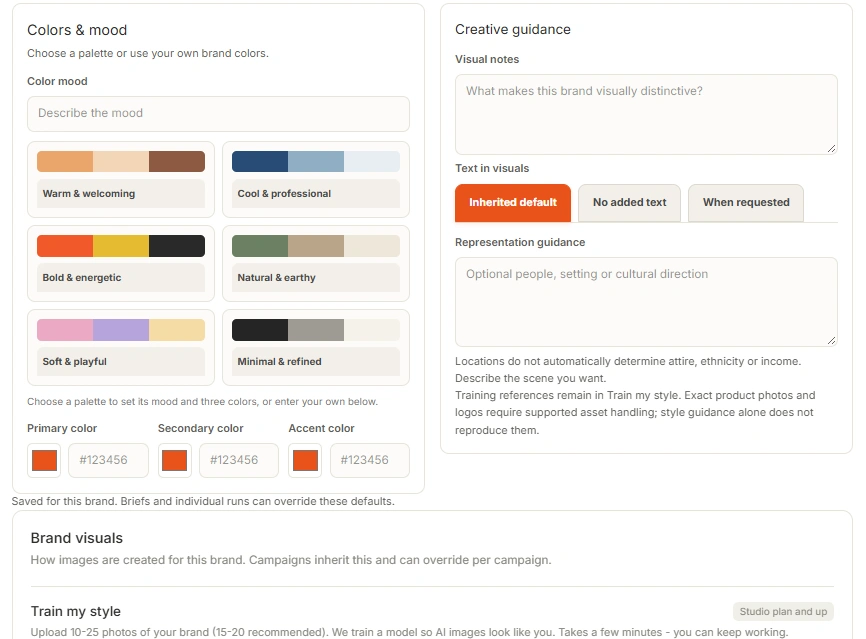
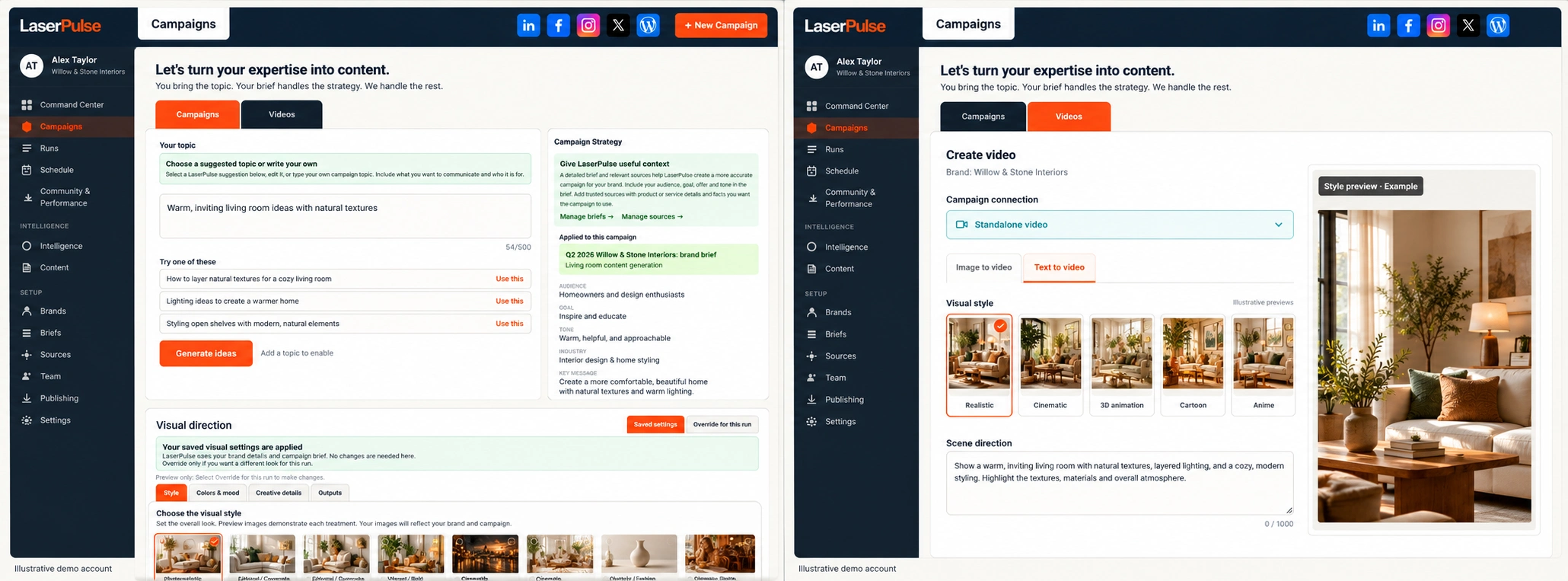
A blank calendar should not mean another hour searching for inspiration. Explore a topic suggestion or bring your own, then give it an audience, a goal and your brand’s point of view.
“Create a campaign showing homeowners how to make a small living room feel bigger. Keep it warm and practical.”
Review the audience, goal and channels before creating.Away from your desk? Follow an event owner capturing a fresh idea by voice. The same review-first workflow applies to your business.
“Create a recap of tonight’s event. Thank everyone who attended and invite people to our next event.”
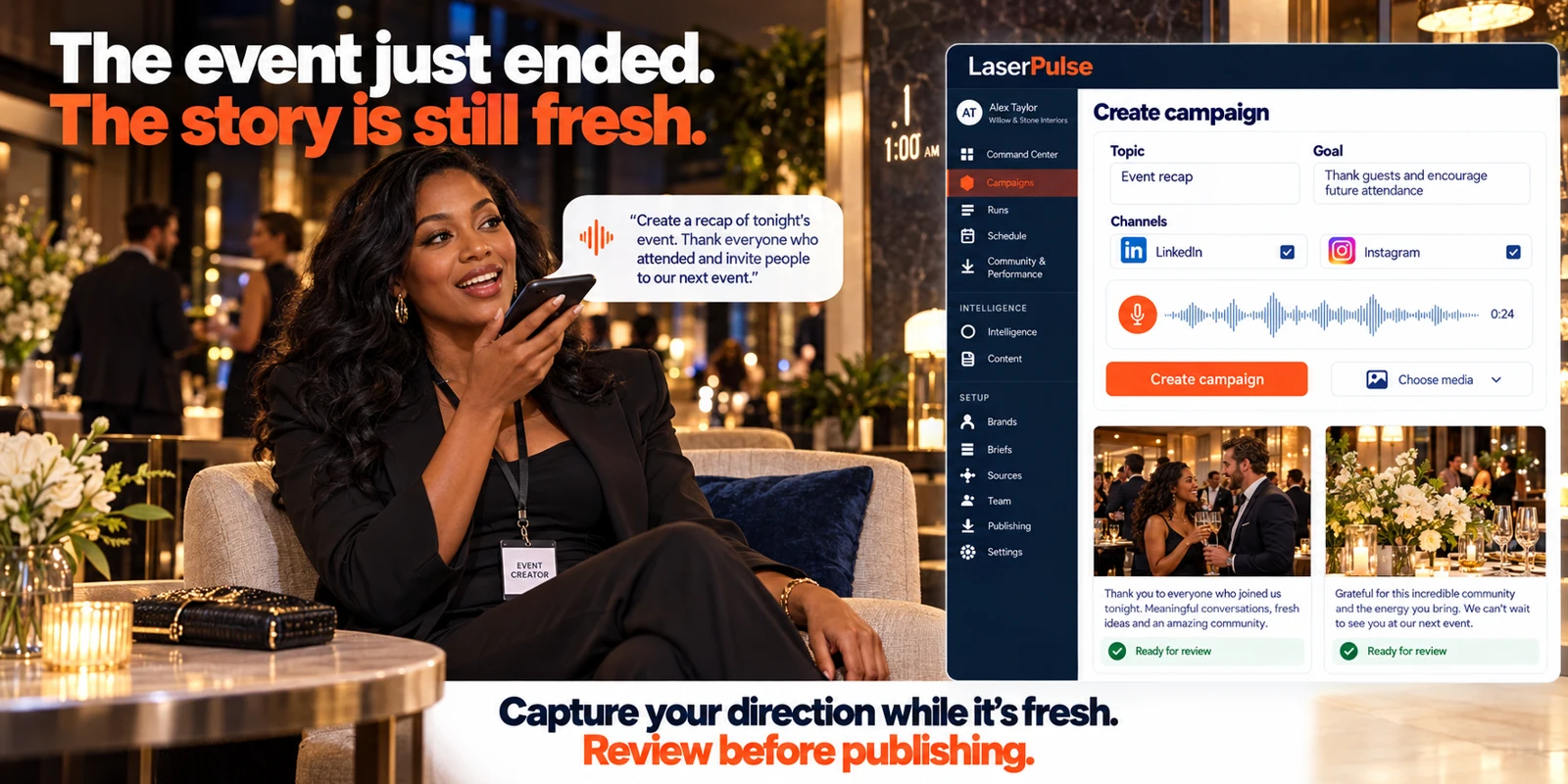
Record the audience, message and outlets. Listen back or edit the instructions.
Confirm the brand, campaign direction and requested channels. Select the media you want to use.
Create the campaign, follow its status and review the writing and visuals before publishing.
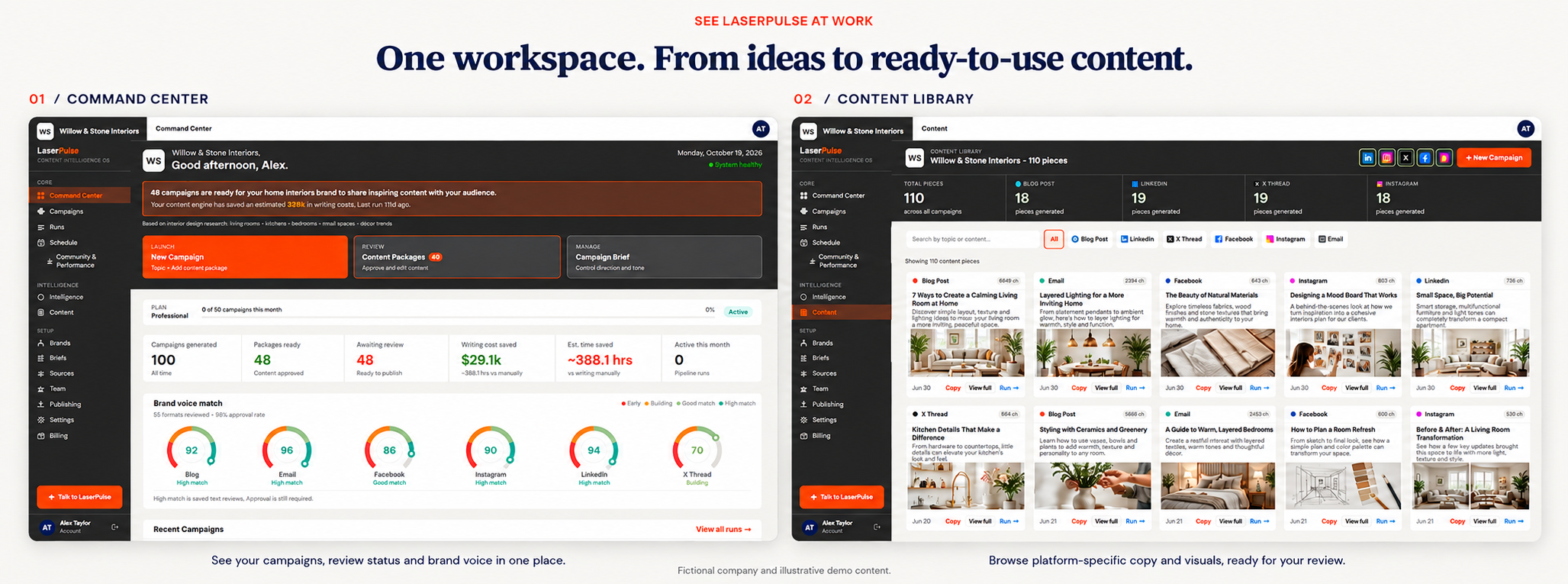
Your result: a coordinated campaign with individual pieces ready for your review.
Example campaign topic: Make a small living room feel more spacious.
One direction becomes a coordinated set of content, shaped for how people use each channel.
A small room does not always need smaller furniture. Start with a clear walkway, a lighter palette and one focal point. Which change would make the biggest difference in your space?
A bright, compact living room with natural textures, a clear walkway and warm lighting. Carry the same creative direction across the campaign.
Explore visual creation ↓Start with the layout. Before buying anything new, identify where furniture interrupts movement and where light can travel farther through the room.
Scene: A compact room opens into a brighter, calmer arrangement.
Direction: Gentle camera movement, natural light and a focus on useful design details.
See video creation ↓Review each piece, refine the details and keep the campaign connected. Explore the content formats in your plan.
Get Started →Want a warmer caption? Edit the wording. Prefer another image? Refine that piece while keeping the rest of your campaign.
You choose the content that represents your business.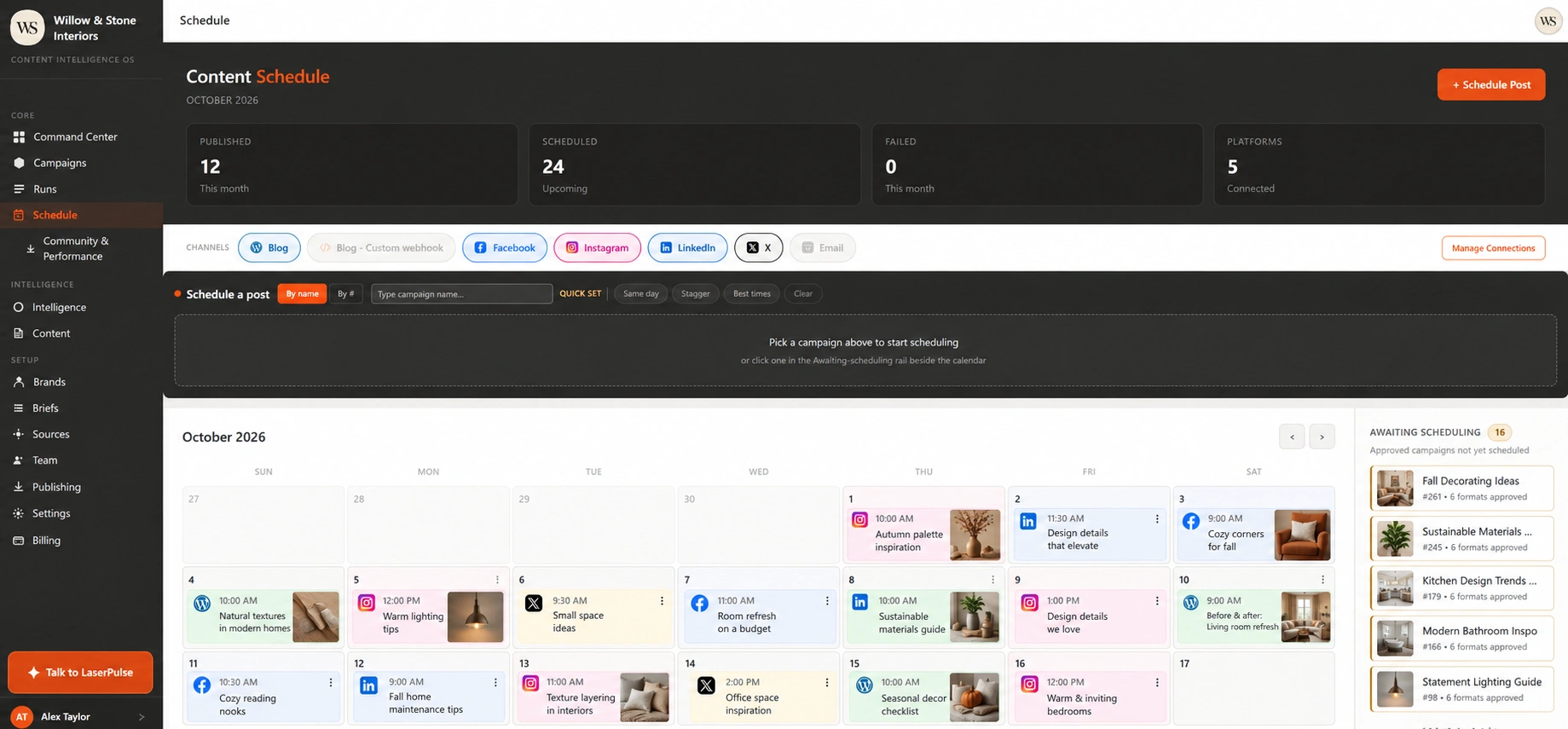
Choose the channel. Choose the time. Review your scheduled content in the calendar, then adjust the plan as your business moves.
Warm, clear and practical. Help people imagine a more comfortable home.
Use simpler language. Keep the tone welcoming. Be specific about the details.
Keep the voice guidance, examples and decisions that make your content yours.
Publishing is one step. Review the response, understand the strongest content and bring that learning into your next brief.
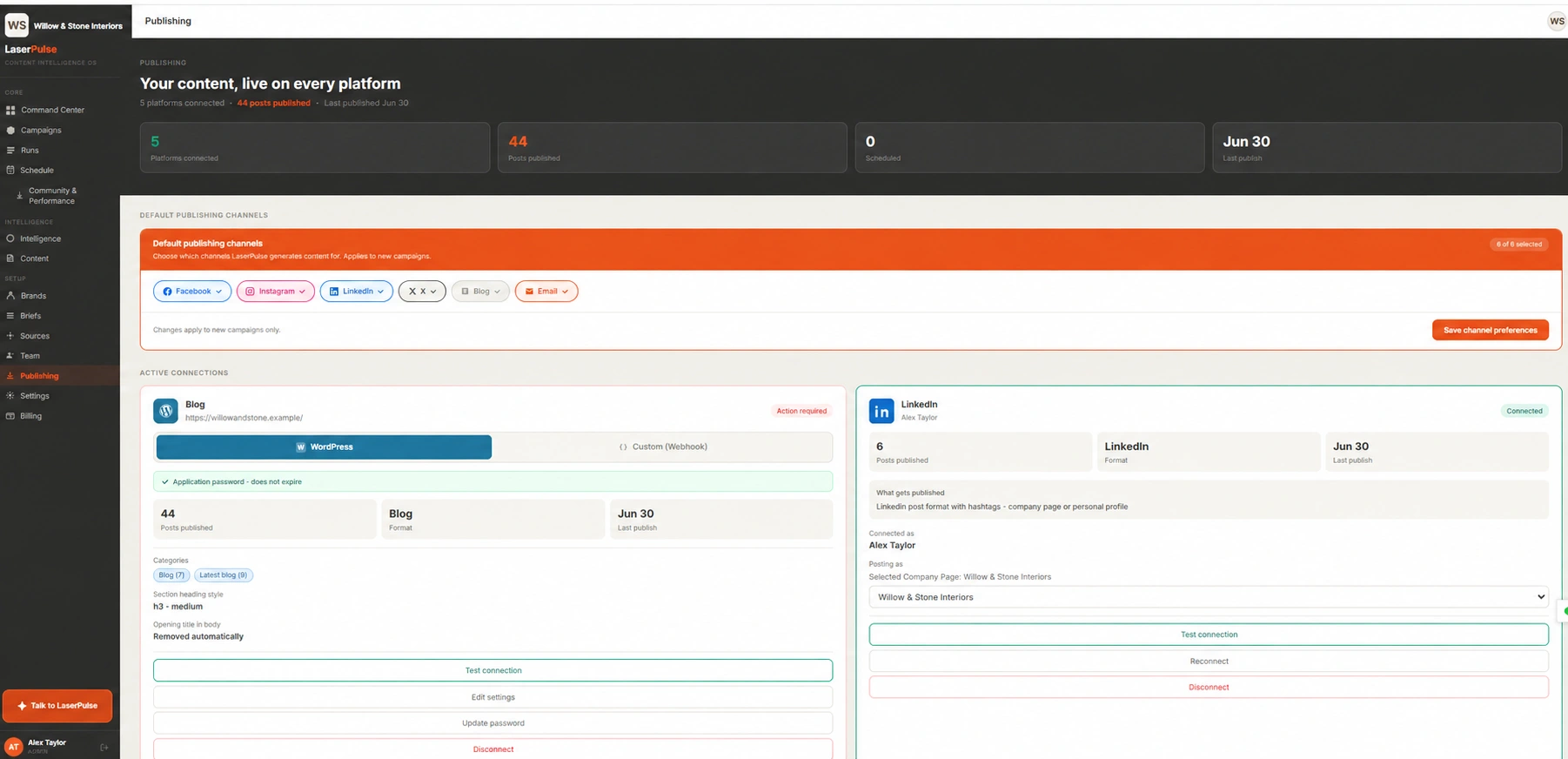
Review and publish your approved content to a connected account. Keep the original post and publishing status within reach.
 WILLOW & STONE INTERIORS
A clear walkway. A lighter palette. One focal point. Which would you try first?
PublishedOpen Community & Performance. Compare post results, check available metrics and review the conversations behind the numbers.
Choose a topic or format worth testing again. Bring the insight into your next campaign brief, with your brand voice and goals in mind.
Review the direction. Create the next campaign.
Bring a kitchen remodeling story together with your footage, narration, music and brand. Review the finished commercial before it represents your business.
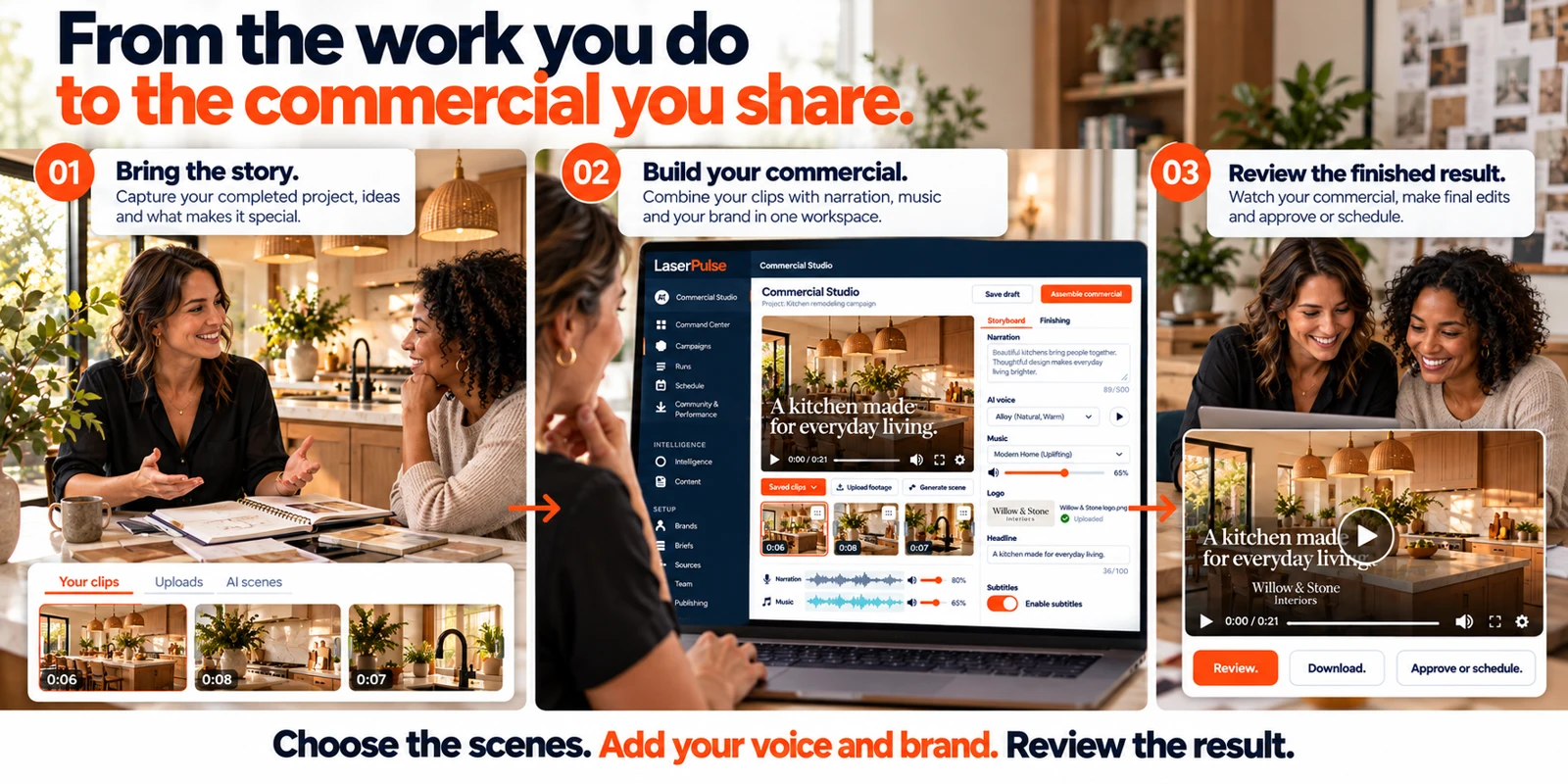
Use saved LaserPulse clips, upload your footage or generate new scenes for the commercial.
Trim and order the clips. Add narration, uploaded music, your logo, subtitles and a clear call to action.
Assemble the commercial and review the finished video. Download, approve or schedule your chosen result.
Use Talk to LaserPulse to record your campaign direction and name the outlets. Review the instructions and selected connections before creating.
Talk to LaserPulse →Upload campaign images for all outlets or assign them individually. Reuse saved images, videos and commercials as part of your next campaign.
Use your media →After publishing, open Community & Performance to review post results, compare periods and respond to comments. Use those insights to shape the next campaign.
See the results →Manage up to 15 brands / businesses.
Available on the Agency plan.Explore topic suggestions or bring your own idea. Add your audience, goal and tone to turn the topic into a clear direction for your next campaign.
LaserPulse creates channel-specific content from your campaign direction, so you can review and refine related pieces in one workflow rather than start from a blank page each time.
Set your brand context, voice and visual preferences. Review the content and provide feedback to guide future work. You keep the final say over what represents your business.
Campaigns combine social copy and AI images. Eligible plans also include blog articles, newsletter copy and video generation. Check the pricing comparison for the formats, monthly allowances and connections in your plan.
Yes. Review and refine your copy and visuals before scheduling or publishing. Creating content does not mean you have to publish it immediately.
The workflow includes connection controls for LinkedIn, Facebook, Instagram and X, plus WordPress or a custom blog webhook. Direct publishing requires an authorized account and the permissions for that integration. Newsletter copy can be used in your email workflow; creating it does not send an email campaign.
Video supports text-to-video and image-to-video creation on eligible plans. Allowances differ by plan. See the AI Video Credits section on Pricing for package details; rendering time is separate from campaign drafting.
You go to the LaserPulse signup page to create an account. Choose the plan that fits your business, add your brand context and connect the supported accounts you want to use.
Plans from $99/month.
Get Started → Compare plans →